
When I talk to founders about why their SaaS product isn’t growing, they usually point to marketing budget, competition, or product-market fit. Those are valid concerns. But here’s what I’ve noticed after working with 40+ early-stage companies: the growth problems often start way earlier, in the technical setup phase. These aren’t sexy problems.
They don’t make for great Medium posts or Twitter threads. But they’re costing companies serious money—and most founders don’t realize it until months later when they’re trying to scale and everything breaks.

I spent the last six months analyzing why some SaaS companies hit their growth targets while others with similar products, better funding, and stronger teams somehow stalled. What I found surprised me: the successful companies weren’t necessarily doing more things right. They were just avoiding critical mistakes in their foundation.
Here are the nine technical setup mistakes that kill growth before it even starts—and what you should do instead.
1. Using Personal Email Addresses for Product Testing
This sounds harmless until you’re six months in and realize you’ve polluted your analytics, messed up your email deliverability, and can’t tell which user behaviors are real versus test data.
When you’re building features, testing signup flows, or debugging payment systems, you need email addresses. Most founders use their Gmail, their co-founder’s email, or create “test@company.com” addresses that sit in their actual email infrastructure.
The problem compounds fast. Your marketing automation starts tracking these test addresses. Your user counts get inflated. Your engagement metrics become meaningless. And if you’re testing payment failures or account suspensions, you risk flagging your actual domain with email providers.
You get disposable email addresses that work exactly like real ones—they receive emails, you can click confirmation links, and they trigger your workflows properly. But they’re separate from your actual user data, and they expire automatically.
The ROI here is immediate. Your analytics stay clean from day one. Your test data doesn’t corrupt your understanding of real user behavior. And when investors or partners ask about your metrics, you’re not explaining why your “100 users” are actually 73 users plus 27 test accounts.
2. Launching Without Proper Subdomain Planning
Most founders register their primary domain and think they’re done. Then three months later, they’re trying to add a blog, a documentation site, a customer dashboard, and suddenly their URL structure is a mess.
I watched a company build their entire product on “app.company.com” and their marketing site on “company.com”, only to realize later they wanted to add regional sites, a partner portal, and a developer platform. They ended up with “app2.company.com”, “partners.company.com”, and “dev.company.com”—inconsistent, confusing, and impossible to scale.
Before you build anything, map out your subdomain architecture. Where will your app live? Your docs? Your blog? Your status page? Your API documentation? Do you separate the products if you add them?
And here’s the part most people miss: check if related domains and subdomains are available before you commit to a naming structure. You might think “company.com” is perfect until you realize “company.io” is a competitor, “company.co” is an adult site, and someone’s already squatting on variations you might want later.
Fixing your domain structure after launch is painful. You’re dealing with broken links, lost SEO value, confused customers, and the technical nightmare of redirects. Do this right from the start.
3. Ignoring Technical SEO Until You Need Traffic
“We’ll worry about SEO once we have product-market fit” is something I hear constantly. It’s backwards. The time to set up your technical SEO foundation is before you publish your first blog post or product page.
Search engines don’t wait for you to be ready. They’re crawling your site from day one. If your technical setup is wrong, you’re training Google to ignore you—and undoing that damage takes months.
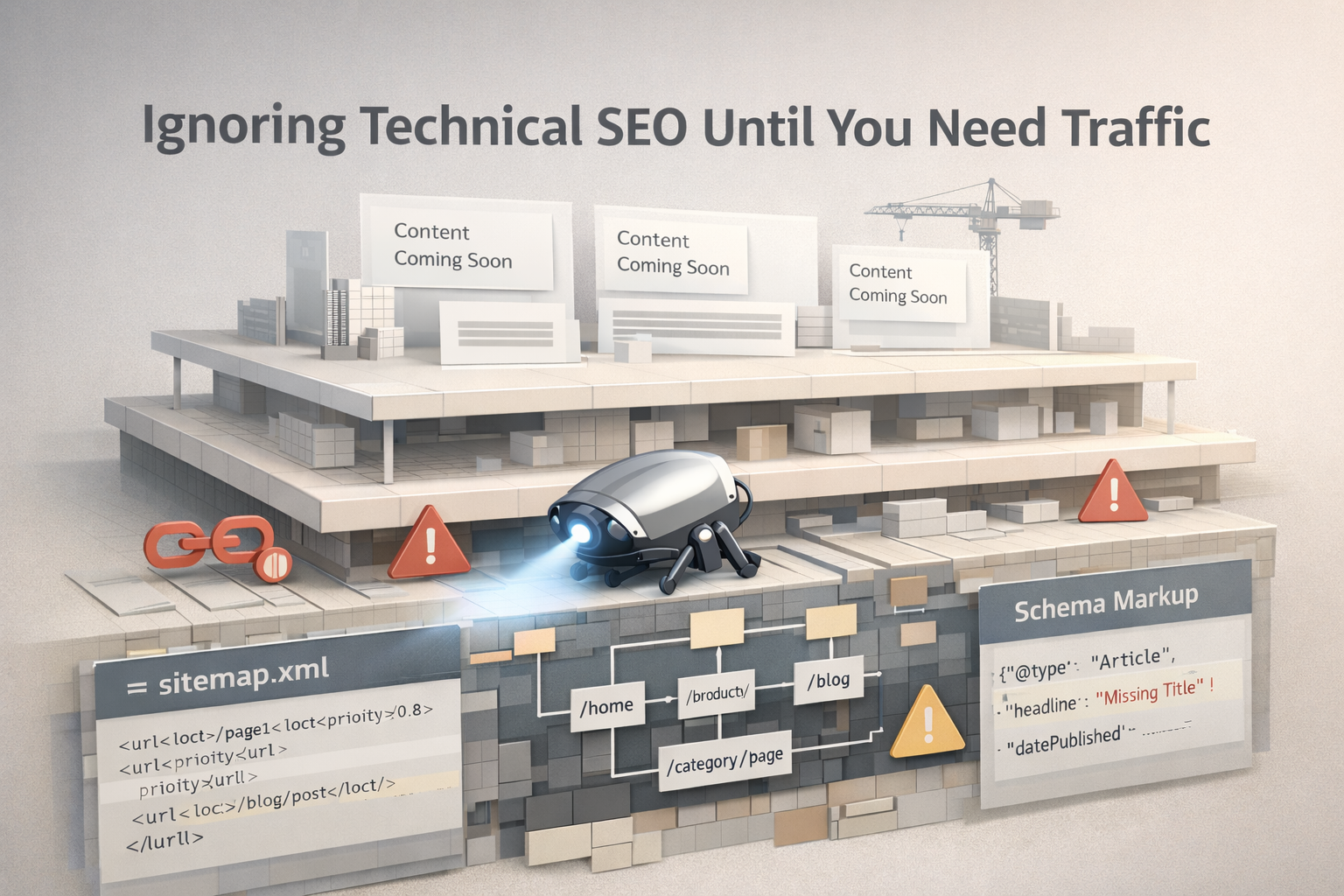
The foundation isn’t complicated, but it has to be right:
Sitemap first, content second. Generate a proper XML sitemap before you start adding content. Submit it to Google Search Console immediately. Every time you add new pages or content, regenerate and resubmit. This tells search engines “hey, here’s new stuff to index” instead of hoping they eventually find it.
URL structure matters more than you think. Decide on your URL format early. Are you doing “/blog/post-title” or “/resources/post-title” or just “/post-title”? Changing this later means losing any SEO value you’ve built. Pick something logical and stick with it.
Schema markup from the start. Add structured data to your key pages. Product pages should have product schema. Blog posts should have an article schema. Your about page should have an organization schema. This helps search engines understand what your content is and increases your chances of rich results.
Most SaaS companies I’ve worked with ignored technical SEO for 6-12 months, then hired an agency that told them everything was set up wrong. They spent the next quarter fixing foundation issues instead of creating content. Don’t be them.
4. Building a Single-User Testing Environment
Your staging environment should mirror production as closely as possible, including having multiple test users with different permission levels, states, and scenarios.
Too many teams test with a single admin account. Then they ship features and discover that:
- Regular users can’t access features that admins can
- User roles aren’t properly enforced
- Edge cases with different account states break the product
- Onboarding flows work for admins but fail for new signups
Create test accounts for every user type: new trial users, paying customers, enterprise accounts, users with expired trials, suspended accounts, and users who’ve hit plan limits. Test every feature from each perspective.
This sounds tedious, but it catches bugs before customers find them. One company I worked with launched a pricing page update that accidentally showed enterprise features to free users. They got 200 support tickets in 24 hours from confused users who could see features but couldn’t access them. That bug wouldn’t have made it to production if they’d tested from a non-admin account.
5. Skipping the Error Tracking Setup
You can’t fix problems you don’t know exist. Yet I constantly see companies launch without proper error tracking, then wonder why users churn or why certain features have low adoption.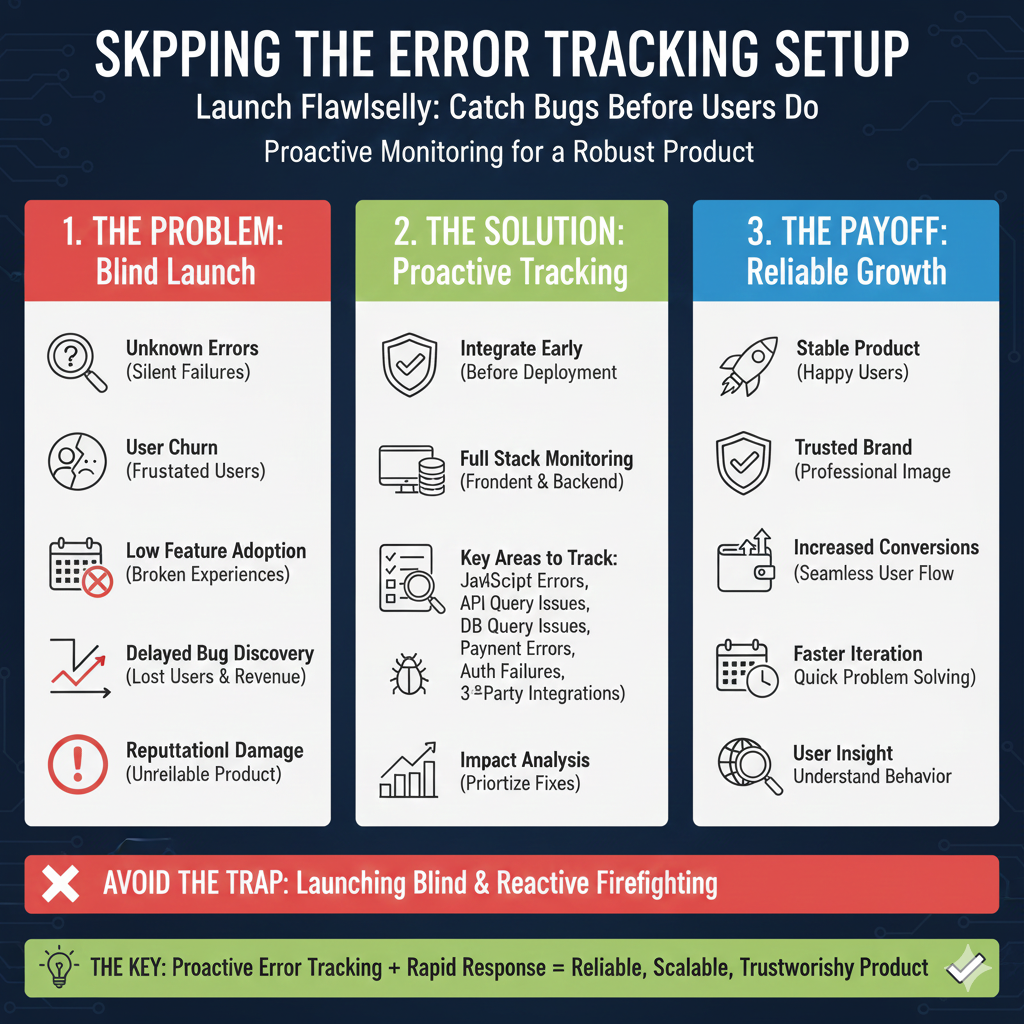
Install error tracking before your first production deployment. Not after you notice problems—before. Tools like Sentry, Rollbar, or Bugsnag should be integrated from day one, tracking both frontend and backend errors.
Here’s what you need to track:
- JavaScript errors that break user experiences
- API errors and failed requests
- Database query failures
- Third-party integration failures
- Payment processing errors
- Authentication failures
The goal isn’t to have errors—that’s impossible. The goal is to know about errors before users have to tell you, understand the impact, and fix them quickly.
One SaaS founder told me they didn’t know their signup flow was broken for Safari users for two entire weeks. They lost an estimated 300 signups. All because they didn’t have error tracking configured, and Safari users just… left instead of reporting the bug.
6. Not Load Testing Before You Actually Need It
“We’ll worry about performance when we have scale problems” is optimistic but dangerous. By the time you have scale problems, you’re also losing customers because your app is slow or crashing.
You don’t need millions in infrastructure before launch. But you should understand your limits. What happens when you have 100 concurrent users? 500? 1,000? At what point does your database start slowing down? When do API calls start failing?
Basic load testing reveals:
- Database query bottlenecks
- API endpoints that don’t scale
- Memory leaks in your code
- Infrastructure limitations
- Third-party service rate limits
I watched a company get featured on Product Hunt, get flooded with traffic, and have their entire app crash because their database couldn’t handle 200 simultaneous signups. They spent their biggest traffic day with their product offline. That killed their momentum completely.
Run load tests with tools like k6 or Artillery before any marketing push. Find your breaking points in a controlled environment, not during your product launch.
7. Hardcoding Configuration Values
This seems like a small thing until you need to change something urgently and realize you have to deploy new code just to update an API key or feature flag.
Everything that might change should be in environment variables or a configuration management system: API keys, third-party service endpoints, feature flags, rate limits, timeout values, and admin email addresses.
When things go wrong (and they will), you need to be able to adjust quickly without deploying code:
- Disable a problematic feature with a feature flag
- Increase rate limits temporarily during a surge
- Switch to a backup service if your primary goes down
- Update pricing without touching code
Hardcoded values mean downtime, emergency deployments, and stress. Configurable values mean quick fixes and flexibility.
8. No Rollback Strategy
Every deployment should be reversible within 60 seconds. Not five minutes, not “we can fix it forward”—you need to be able to undo a deployment instantly when something breaks.
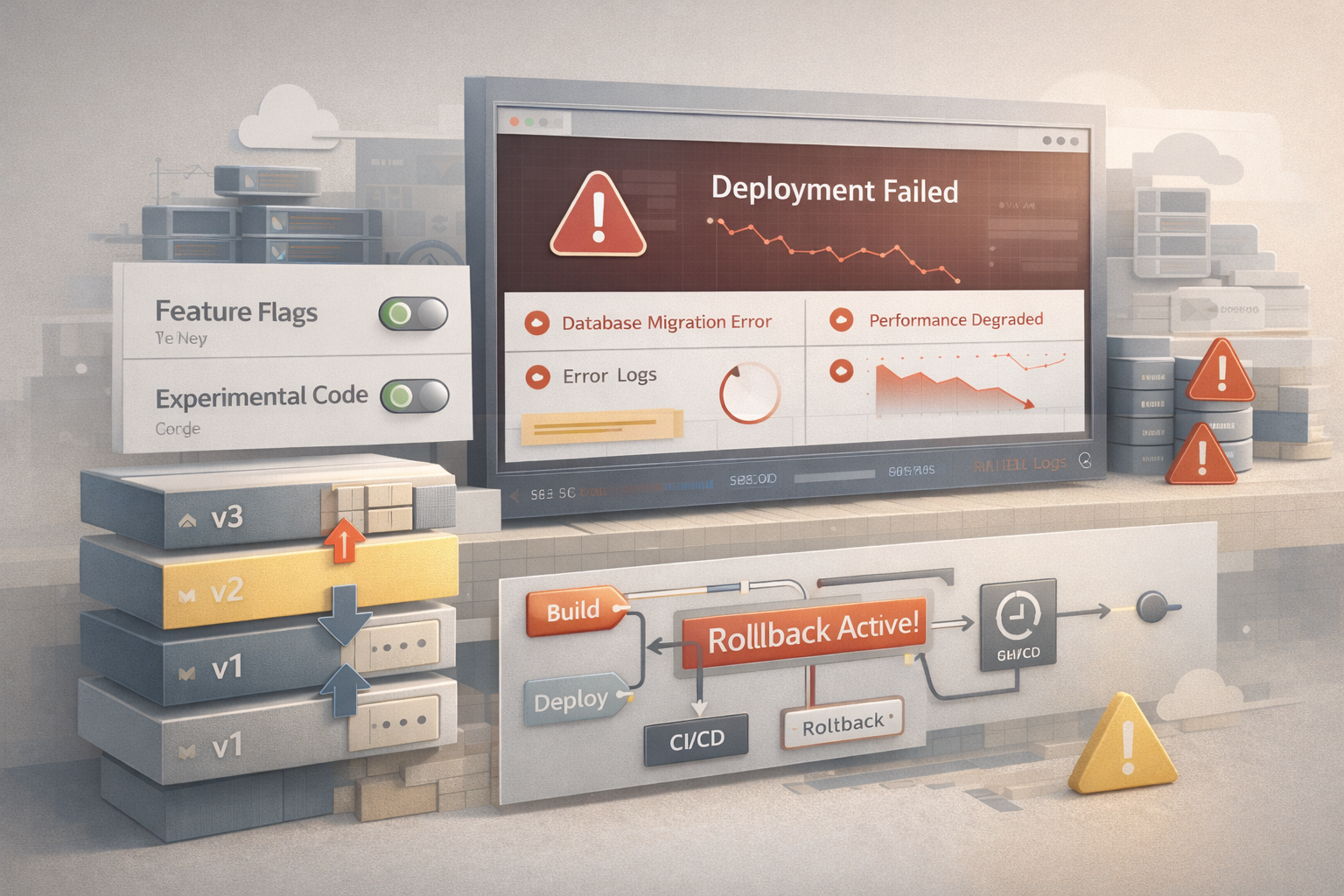
This requires:
- Database migration strategies that can roll back
- Feature flags to disable new code without deploying
- Previous version artifacts that can be restored immediately
- Automated rollback procedures
I’ve seen companies try to “fix forward” when a bad deployment went out, spending hours debugging in production while users experienced a broken product. If they could’ve rolled back in one minute, those hours could’ve been spent fixing the bug in staging, not fighting fires in production.
Your rollback strategy should be tested regularly. If you’ve never rolled back a deployment, you don’t actually know if your strategy works.
9. Building Without Analytics Instrumentation
You can’t improve what you don’t measure. Yet most early-stage companies add analytics as an afterthought—”we’ll instrument this later when we need data.”
By the time you need data, you’ve lost months of insights about how users actually interact with your product.
Instrument everything from day one:
- User signup and onboarding flows
- Feature usage and adoption
- User paths through your product
- Drop-off points and friction areas
- Time to value for new users
- Error encounters and recovery
This data tells you what’s working and what’s not. It guides your roadmap. It shows you which features users love and which they ignore. It reveals bottlenecks you didn’t know existed.
One company I advised discovered through analytics that 60% of users who reached their paywall never saw the pricing page—there was a technical issue with the redirect. They’d been optimizing their pricing page for weeks, not realizing most users never got there. Analytics revealed the real problem.
The Compound Effect of Foundation
Here’s what nobody tells you: these technical mistakes compound. Each one individually might cost you some users, some growth, or some efficiency. Together, they create a foundation that can’t scale.
Companies that nail their technical foundation from the start can grow faster because they’re not constantly fixing infrastructure. They can ship features quickly because their testing is solid. They can respond to problems immediately because their monitoring is comprehensive.
Companies that skip this foundation spend their first year in reactive mode—fixing production bugs, rebuilding systems that don’t scale, losing customers to preventable problems.
The successful companies I’ve studied didn’t necessarily have better products or more funding. They had cleaner foundations. They could move faster because they weren’t tripping over technical debt from month one.
Your 30-Day Technical Foundation Checklist
Before you start heavy marketing or sales:
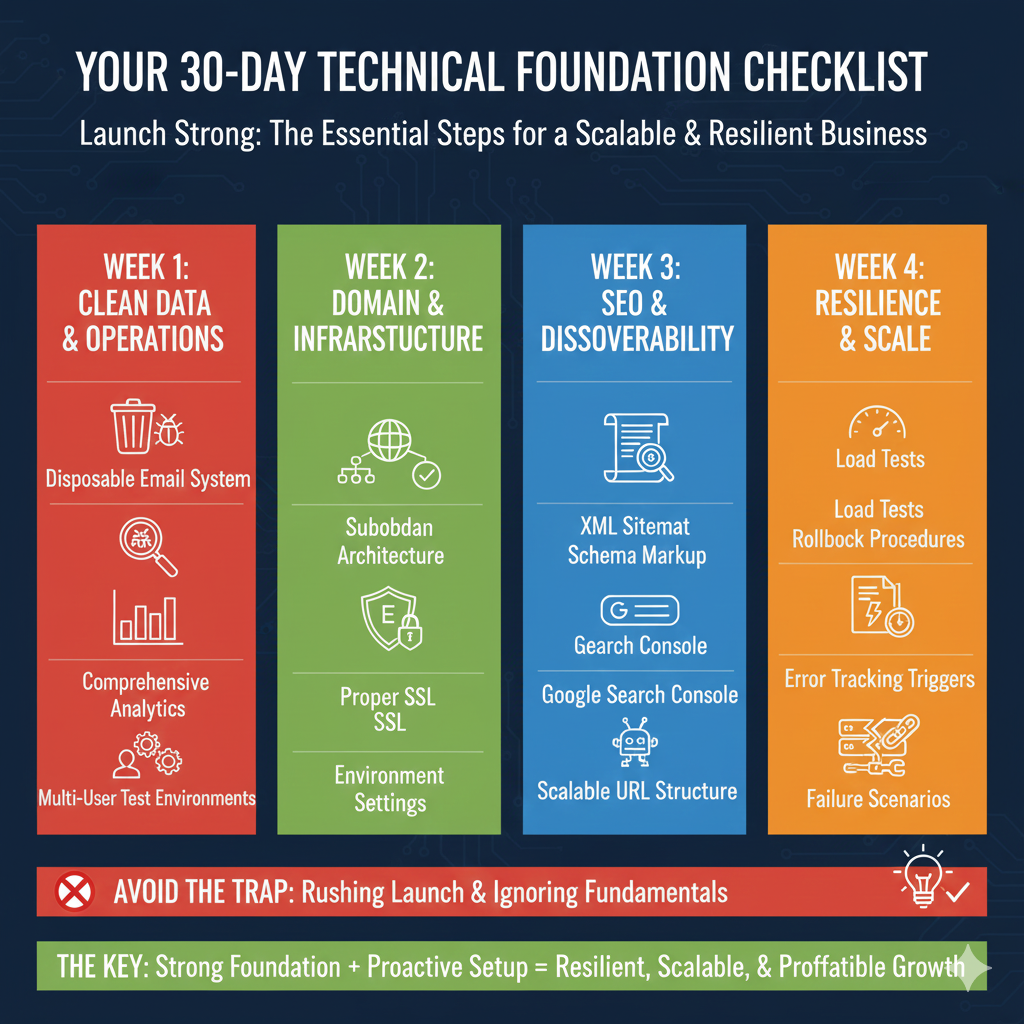
Week 1: Clean Data Operations
- Set up disposable email testing system
- Configure proper error tracking
- Implement comprehensive analytics
- Create multi-user test environments
Week 2: Domain and Infrastructure
- Map out subdomain architecture
- Verify domain availability for future expansion
- Set up proper SSL across all subdomains
- Configure environment-based settings (no hardcoding)
Week 3: SEO and Discoverability
- Generate and submit XML sitemap
- Implement schema markup
- Set up Google Search Console
- Create robots.txt
- Verify URL structure is scalable
Week 4: Resilience and Scale
- Run basic load tests
- Create rollback procedures
- Document configuration management
- Test error tracking triggers
- Simulate failure scenarios
This feels like overhead when you’re racing to launch. But it’s the difference between building a product and building a scalable business.
Every hour you invest in proper foundation saves you dozens of hours fixing problems later—and potentially saves you from losing customers you can never get back.
Do it once, do it right, and then focus on growth knowing your foundation can handle it.
Conclusion: Growth Doesn’t Break Products—Weak Foundations Do
Most SaaS companies don’t fail because the idea was bad or the market was too competitive. They fail because growth exposed cracks that were already there. Cracks formed quietly, early on, during late-night builds, rushed launches, and “we’ll fix it later” decisions that felt harmless at the time.
That’s the uncomfortable part: nothing on this list feels urgent when you’re starting. Disposable emails feel like overkill. Load testing feels premature. Analytics instrumentation feels like a distraction from building features. But when real users arrive, when traffic spikes, when money is on the line, those “non-urgent” decisions become existential.
The companies that scale smoothly aren’t smarter or luckier. They’re calmer. And they’re calmer because their systems don’t fight them at every step.
A clean technical foundation buys you leverage:
-
You trust your metrics, so you make better decisions.
-
You ship faster because deployments aren’t scary.
-
You catch problems before customers do.
-
You survive spikes instead of panicking through them.
-
You spend time improving the product instead of repairing it.
Most importantly, it keeps you out of reactive mode. Reactive mode is where momentum goes to die.
Think of your early technical setup like pouring concrete. You don’t see it once the building is up, but if it’s wrong, everything above it becomes fragile. Fixing it later is expensive, slow, and painful—especially when customers are already living inside the structure.
So if you’re early, this is your unfair advantage. Do the boring things now. Be meticulous before it feels necessary. Build as if success is inevitable—because if it comes, your product won’t get a second chance to make a first impression.
Growth should feel exciting, not terrifying.
That only happens when the foundation is strong enough to carry it.